Promoting your business is simple with CircleGab. Create your free Business Circle to showcase your brand and connect with local customers. For even more impact, you can purchase affordable ad spots that boost visibility, attract new followers, and keep your business top of mind, whether you’re aiming for awareness or sales.
We’ve also put together a short, informative video and a step-by-step guide below to walk you through creating your first ad, making it simple to get started right away.
Discover how easy it is to launch your first ad on CircleGab!
Or take a look at our step-by-step guide to easily create ads that help your business stand out.
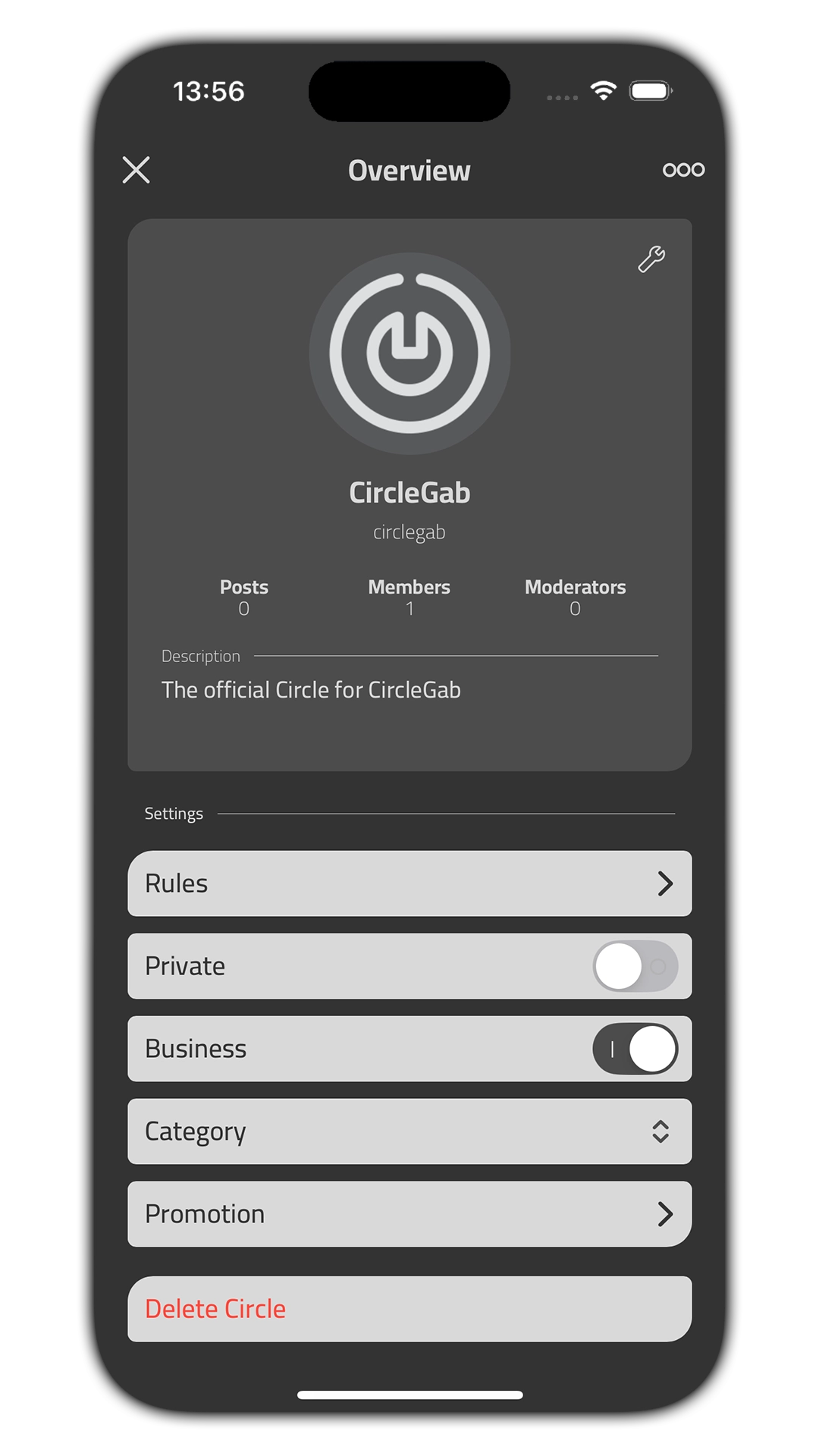
Go to the Circle Overview page
To run a promotion on CircleGab, your Circle must be set to a Business Circle. This can be done when creating a Circle, or in your “Circle Overview” page. When “Business” is toggled on, the “Promotion” tab will be visible.
If this is your first time creating a promotion, the Promotion Overview will be empty. Just click on the ¨+¨ symbol to get started!
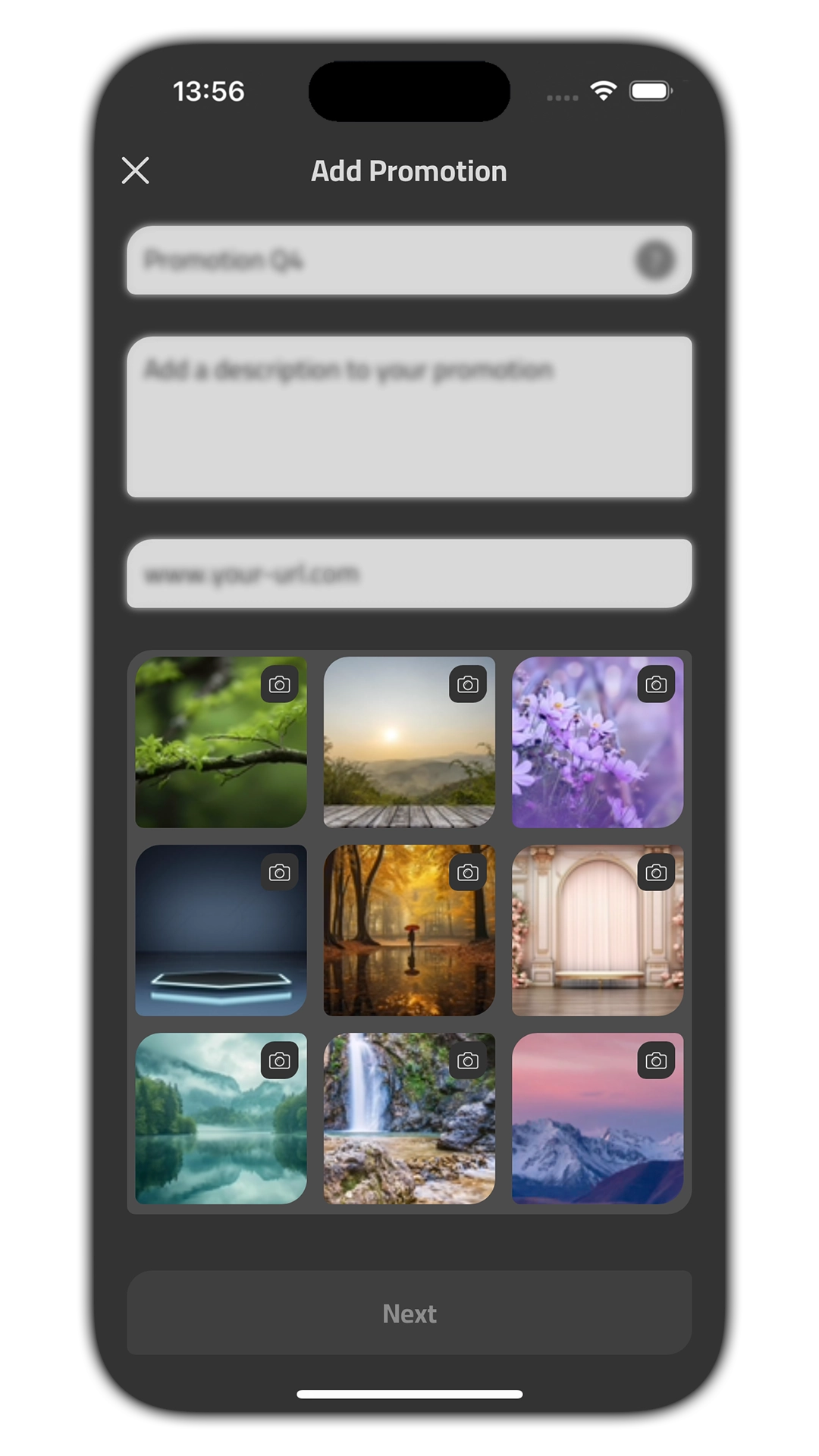
Describe your promotion
Under the description view in promotions you will need to enter details about the promotion.
Name: This field is only visible to you. If you give your promotion a name, it will be easier for you to differentiate between promotions if you have more then one concurrent promotion running. This field is optional and will default to your Circle name.
Description: Add an informative text about your promotion. The CircleGab community will be able to read this description when the promotion is active. This field can be up to 1000 characters long.
URL: If you want the CircleGab community to access your website, you can add a URL here.
Add a media to your promotion
You can add a picture, video or an animated GIF to your promotion. If you choose a video, the duration of the video cannot be more than two minutes long. We recommend an aspect ratio of 0.46 (19.5:9) for your media.
Select audience, location and budget
Select the audience you want to reach with your promotion:
Gender: If you choose the ¨All¨ option, your promotion will reach all CircleGab users. You can also choose between male, female or neither if this fits your promotion better.
Age range: Choose the age range by sliding each of the controls from right to left. The age range is between 15-100 years old. If you have a promotion that should reach everyone, you can leave the age range at the default setting.
County and location: If your promotion should reach an audience in a specific county, click on the country option or click the ¨show map¨ under ¨Location¨. This will be further explained on the next slide.
Weekly budget and End date: CircleGab runs ads on a weekly basis, and you will be charged for the total reach your promotion will have from week to week.
If you clicked on ¨show map¨, a map with a pinpoint of your location will open. You can choose to add a city name or a specific address in the text field, and choose the radius of which your promotion will run based on CircleGab users nearby.
This is a great way for small businesses to run promotions in their local area!

Preview your promotion
On the last page you will get a preview and summary for your promotion. By tapping on the media you have chosen, you can see how your promotion will look for the CircleGab Community before committing to a purchase.
You can always make changes to the promotion by clicking on the ¨Back¨ button.
When you have checked that everything looks good, click on the ¨Continue¨ button and you will be prompted to the payment section.
We hope this guide has been helpful, and if you have any questions regarding promotions on CircleGab, feel free to send an email to [email protected]